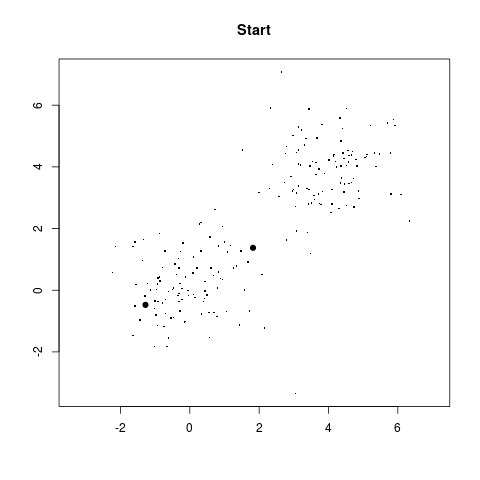
Two kings chosen randomly
library(kernlab)
source("auth.txt")
It is easy to apply SVM using the string kernel, which is
called stringdot in R. It accepts a number of
parameters. We have used just one: length. It is the
length of the substrings to be used.
svp1 = ksvm(txt,lab,kernel='stringdot',kpar=list(length=2),C=10)We have two fresh passages from the two authors for testing purposes.
predict(svp1,list(freshDoyle))
predict(svp1,list(freshShakes))
SVM correctly recognises the authors in both cases! Let's play a bit more with the kernel. We can work with all substrings up to a given length. This variant of the string kernel is specifued by the type='boundrange' parameter of the stringdot kernel. Now length refers to the maximum length.
svp2 = ksvm(txt,lab,kernel='stringdot',kpar=list(type='boundrange',length=5),C=10)

predict(svp2,list(freshDoyle))
predict(svp2,list(freshShakes))
Even here the predictions are perfect.
strsplit("To be or not to be",' ')
We also need to break words at the punctuaions marks. Here is a
first attempt to use both comman and space:
strsplit("a, b cd",', ')
Oops, that's not what we wanted! Here R just looks for the string
", ". We also want to allow a comma or a space to work
separately. So we use the | operator, which stands
for "or".
strsplit("a, b cd",',| ')
Some punctuaions are longer than a single character, e.g.,
a dash (--).
strsplit("The good-natured man said--OK",',| |--')
Here is pretty comprehensive list of a punctuations applied to
the first passage in our data set.
strsplit(txt[[1]],' |,|!|?|.|"|:|;|--')Next we have to create a frequency distribution:
table(strsplit(txt[[1]],'[ ,!?.":;]+|--'))The frequency distribution is a just numeric vector where each entry is labelled with a word. R achieves such labelling via dimnames.
temp = table(strsplit(txt[[1]],'[ ,!?.":;]+|--'))
dimnames(temp)
We shall often need the set of words. So let's have a handy function for that:
wordsIn = function(b) dimnames(b)[[1]]The following code snippet acheives two things: it extracts the frequency distribution for each passage in our sat set, and also creates the dictionary (the union of the sets of all the worlds in all the passages).
bag=NULL
full=c()
for(i in 1:length(txt)) {
  temp = table(strsplit(txt[[i]],' |,|!|?|.|"|:|;|--'))
  words = wordsIn(temp)
  words = words[words!=''] #To avoid words of length zero
  bag[[i]] = temp[words]
  full = union(full,words)
}
The line words = words[words!=''] avoids words with
length zero. Such "words" are generated automatically when two
word boundaries appear consecutively, eg, if the text is
She said-- Aha, nice!Then R imagines an empty word between -- and the space following it, again between the comma and the following space. Next we "lift" each frequency distribution to a frequency distribution over the full dictionary by assigning zero frequencies to the words not occuring in a passage.
dat = matrix(0,28,length(full)) #28 = number of passages in our data set.
colnames(dat) = full
for(i in 1:28) {
  dat[i,wordsIn(bag[[i]])] = bag[[i]]
}
A smart way to implement the bag-of-words would be to avoid
explicit computation of φ, but we take the
computationally inefficient route, which is easier to code:
phi = function(newText) {
  temp = table(strsplit(newText,' |,|!|?|.|"|:|;|--'))
  words = wordsIn(temp)
  words = words[words!='']
Nothing new so far. Now create an empty frequency distribution
over the full dictionary.
  res = rep(0,length(full))
  names(res) = full
The new passage may contain words not in our "full" dictionary (which was constructed based on only the training data). We need to filter out such words. The intersect function is just the tool for this:
  commonWords = intersect(full,words)
  res[commonWords] = temp[commonWords]
  return(res)
}
Now we can use Euclidean inner product kernel (called vanilladot in kernlab):
svp3 = ksvm(dat,lab,type="C-svc",kernel='vanilladot',C=10)Let's see how the predictions go for the two test cases:
predict(svp3,matrix(phi(freshDoyle),1))
predict(svp3,matrix(phi(freshShakes),1))
Both are correct!
This star in this data set is actually the same as that star in that data set!Let's load the appropriate package:
library("class")
Here our training data set consists of 60 stars from the
Hyades star cluster and 60 other stars.
trn = read.table("train.dat",head=T)
dim(trn)
names(trn)
We know that the first 60 are Hyades stars,
trueClass = c(rep("Hyad",60),rep("NonHyad",60))
Here are some test cases, stars whose membership in the Hyades
star cluster is assumed unknown (actually we know that the first
28 of them belong to the Hyades star cluster, and the remaining
28 don't, but we shall see if k-NN method can find that).
tst = read.table("tst.dat",head=T)
dim(tst)
Finally we apply the method:
foundClass = knn(trn,tst,trueClass,k=3)The prediction turns out to be correct every single time!
source('km.r')

val = startGame(sample(100,2))
You'll a get plot like this:
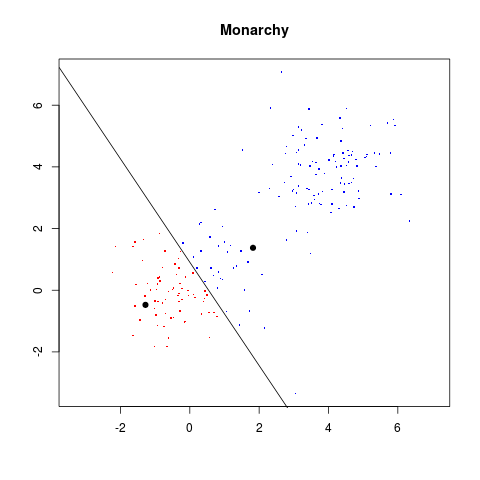
val = monarchy(val)
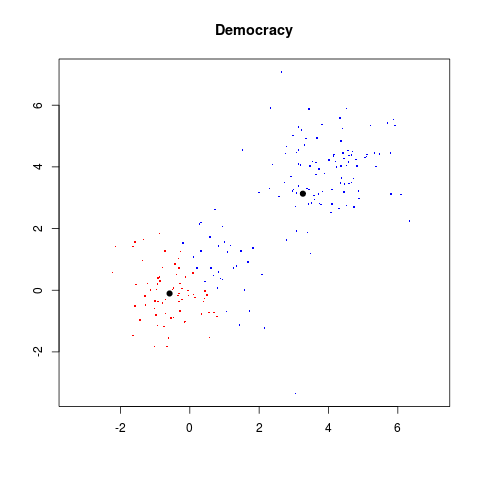
val = democracy(val)
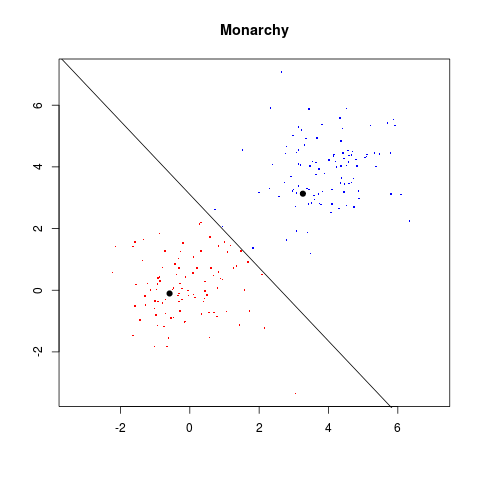

dat = read.table("sat.dat")

names(dat) = c("red","green","blue")
Let's reproduce the image first, just to make sure the data have
been ingested correctly.
attach(dat)

mycol = rgb(red,green,blue,max=255)

rows = 1:75
columns = 1:40

z = matrix(1:3000,nrow=75)
image(rows,columns,z,col=mycol)If you do not like to see axes and labels around the image:
image(rows,columns,z,col=mycol,
      bty="n",yaxt="n",xaxt="n",
      xlab="",ylab="")
A more statistical view may be had by making a 3D scatterplot.
library(scatterplot3d)


scatterplot3d(red,green,blue,color=mycol)
The scatterplot3d package produces quite dumb plots that cannot be interacted with. Try the rpanel package for 3D plots that can be rotated with the mouse. Now we shall perform the k-means custering with k=2, say:
cl = kmeans(dat,2)There are plenty of info packed in the output. We shall need only two:
names(cl)
cl$clus #which pixel is in which class

cl$center #the cluster centres
Let's convert the cluster centres into colours.
c2 = rgb(cl$cen[,1],cl$cen[,2],cl$cen[,3],max=255)And then draw pixels in each cluster with the appropriate colour:
image(rows,columns, matrix(cl$clus,75,40),col=c2)Wow! The land masses are clearly separated from the sea! Want to zoom in on more details? Just increase k to 3:
cl = kmeans(dat,3)
c3 = rgb(cl$cen[,1],cl$cen[,2],cl$cen[,3],max=255)
image(rows,columns, matrix(cl$clus,75,40),col=c3)
More details are dded to the land msses, but the relatively uninteresting sea still remains a single cluster.